AI video. Every version tracked.
MotionMind gives your agent a production process: concepts, storyboard, build, render. Every render becomes a measured version you can compare, then edit without code in HyperFrames Studio. Open source and free.
v0.2.0MITNode.js 22+
Agents can already write a motion graphic. The process around it is the mess.
The agent skips straight to code, every small change overwrites the version the client approved, and nobody knows which render was the good one. The audio sits at a random level, and the next chat starts from zero.
Without a process
- The agent writes code before any concept
- A small fix overwrites the approved version
- Nobody knows which render was best
- Audio level changes from render to render
- New chat, and the style is gone
The video exists. The record doesn't.
With MotionMind
- Concepts and storyboard first, you approve each step
- Every render is a new version, never overwritten
- Video, contact sheet and source kept per version
- Audio measured to −14 LUFS on every render
- Style kept in TASTE.md for the next video
Every version recorded and comparable.
How it works
The agent stops at every gate and waits for you. Nothing is built before you choose.
Brief, then pick a concept
Describe the product, format, length and CTA. The agent writes two or three genuinely different concepts and you pick one.
Approve the storyboard
A per-second table, plus the style locked in TASTE.md: palette, type, easing and music.
The agent builds and renders
One scene per file. The agent runs HyperFrames check and snapshot after every change and looks at the frames itself.
Review and promote
Watch it in the Studio or edit it in HyperFrames Studio. After QA, promote it to production. The previous production version is archived, never deleted.
Made with MotionMind
This 30-second walkthrough was made with MotionMind itself: install, brief the agent, pick a concept, approve the storyboard, then review and promote in the Studio.
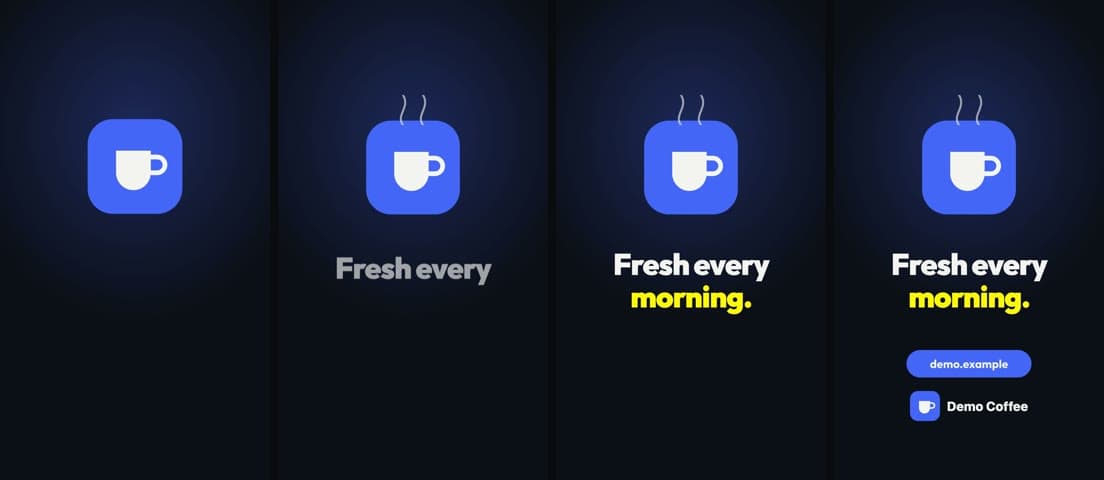
Demo Coffee, a 6-second promo
The fictional brand that ships in the repo (shared/brands/demo). Built with motionmind init, music from motionmind music, and three sounds from the built-in SFX pack.
- Format
- 9:16 · 1080×1920
- Length
- 6 seconds
- Loudness
- −13.7 LUFS
- Audio
- music + 3 SFX
What you get
One npm package with four parts. The agent uses all of them, and so can you.
The motionmind skill
Four-gate workflow, HyperFrames rules, motion and sound guidance, a QA checklist. Works with any agent that reads SKILL.md.
The motionmind CLI
setup, init, render, log, compare, promote, track, music, sfx, doctor. The agent calls it; you can too.
Music and SFX
A 120 BPM music bed generated from code, plus 22 CC0 sounds: clicks, pops, chimes, whooshes, risers, impacts.
A local Studio
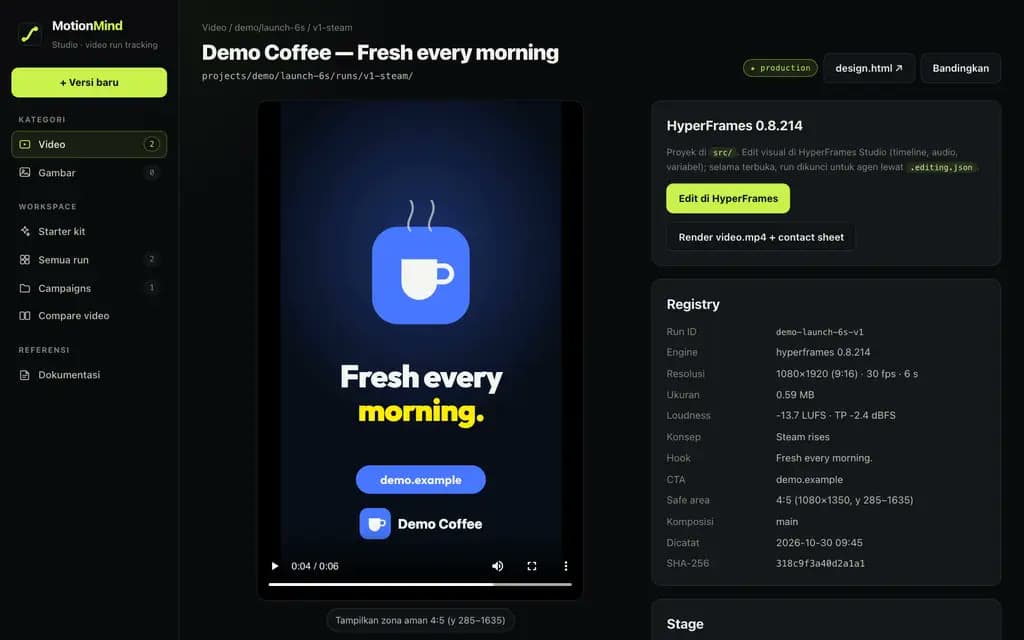
Every version with a player, 4:5 safe area, contact sheet, LUFS, side-by-side compare, and tracking for renders made in other editors.
A local Studio, like MLflow for renders
motionmind ui opens a dashboard on your machine. Every version shows up with its video, measurements and parameters, and the good one is a promote away.
Inside the Studio
- All runsstage, resolution, loudness, by campaign
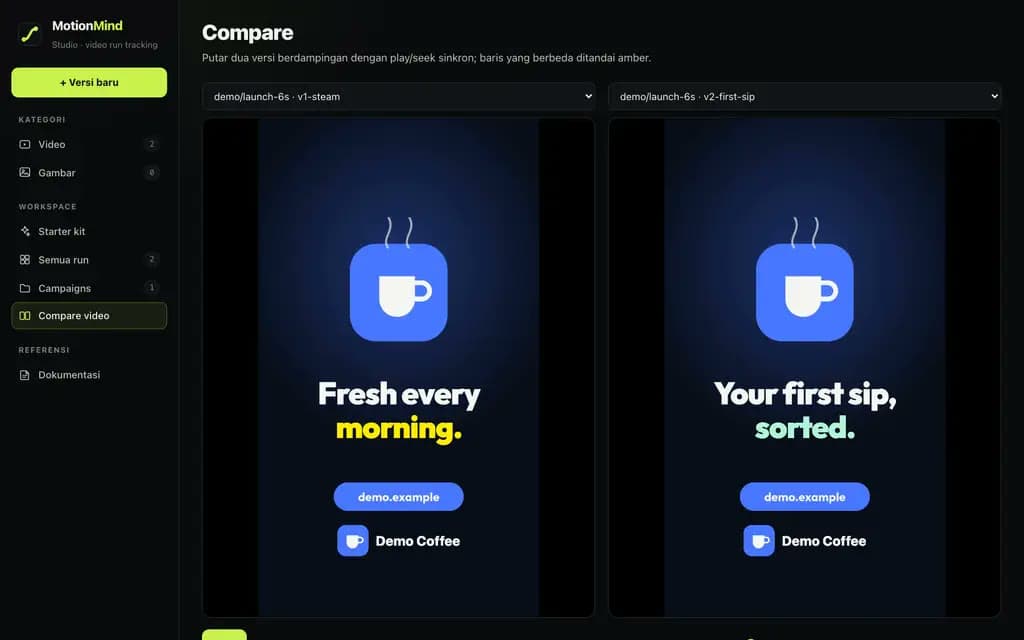
- Comparetwo versions played in sync
- Run pageplayer, contact sheet, registry
- Edit in HyperFramestimeline, text, audio, no code
motionmind uiBinds to 127.0.0.1 only. Your files stay on your machine.
MotionMind is an independent project compatible with HyperFrames. It is not an official HeyGen product or partner.
Start in four commands
HyperFrames and its headless Chrome are fetched automatically on first use.
npm i -g motionmindinstall the CLI
motionmind setup my-studioworkspace, the motionmind skill and the official HyperFrames skills
motionmind doctorchecks Node, ffmpeg, Chrome, HyperFrames, the skill and your agent CLI
motionmind uiopens the Studio at 127.0.0.1:4310
Requirements
- Node.js 22+
- ffmpeg and ffprobe on PATH
- An agent CLI: Claude Code, Codex, Gemini CLI, OpenCode
Use the motionmind skill. I want a 15-second 9:16 promo for my coffee shop "Kopi Senja", message "great coffee, friendly prices", CTA kopisenja.id, music + SFX, no voice-over.
The commands you'll use most
| Command | What it does |
|---|---|
motionmind init b/c v1-slug | new version folder with a HyperFrames project and brand assets |
motionmind render b/c | render, make the contact sheet, measure audio, update the record |
motionmind edit b/c | open HyperFrames Studio; the version is locked for agents |
motionmind compare <a> <b> | compare two versions |
motionmind promote <id> --stage production | make it production; the previous one is archived |
motionmind track <folder> --campaign b/c | log every render or export from another editor |
motionmind music --duration 15 | deterministic music bed with tense, calm, groove and outro sections |
motionmind sfx list | the built-in SFX catalogue, or your own library |
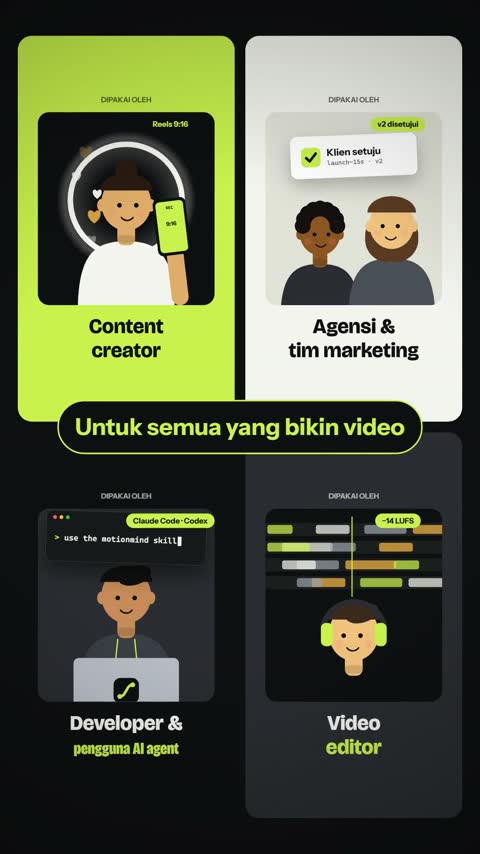
Who MotionMind is for
Content creators
Promos, reels, 9:16
Promos and reels with text inside the phone safe area, and music and SFX at a measured level.
Agencies and marketing teams
Client video
The version the client approved is never overwritten. Compare v1 and v2, then promote the one that wins.
Developers and AI agent users
Claude Code, Codex, Gemini CLI, OpenCode
The skill is a plain Agent Skills folder and the CLI works from any agent. Use the model you prefer.
Video editors
HyperFrames Studio, Premiere, CapCut
Have your own workflow? motionmind track logs every render or export as a version.
Questions
Does MotionMind generate the video by itself?
No. Your AI agent writes the video, following the motionmind skill. MotionMind provides the process, the commands, the record and the Studio. That is also why it works with whichever agent and model you prefer.
Is the output a video file?
Yes. Every version produces an H.264 video.mp4, next to its contact sheet and the HyperFrames source that made it.
Can I change a video without code?
Yes. Press Edit in HyperFrames on a version, or run motionmind edit, to open HyperFrames Studio: timeline, text variables and audio clips. Then render again from the Studio.
I already make videos in HyperFrames Studio, Premiere or CapCut. Can I still use it?
Yes. motionmind track records every new render or export from that folder, and motionmind log records a single file.
Are the sounds and music safe for client work?
The built-in pack is CC0 (Kenney's Interface Sounds plus sounds synthesised for MotionMind) and the music bed is generated from code. Sounds you add keep their own licences.
Does anything leave my machine?
The Studio binds to 127.0.0.1 and reads local files. HyperFrames runs with telemetry off. Your agent talks to its own model provider as usual.
How much does it cost?
Nothing. MotionMind is open source under the MIT licence. You only pay for your own AI agent's model usage.
Is MotionMind an official HeyGen product?
No. MotionMind is an independent project compatible with HyperFrames. HyperFrames and HeyGen are trademarks of HeyGen.
Your next video, with the full record.
Install MotionMind, open the Studio, then brief your agent. Every version from then on is recorded.
npm i -g motionmind