MLflow Concepts in MotionMind Studio: Every Render Is an Experiment
Experiments, runs, parameters, metrics, artifacts and the model registry: how MLflow's ideas became the way MotionMind Studio records, compares and promotes every render.
Launching ·
A complete walkthrough from one voice recording to a 9:16 Reel with lip-sync, caricatures, 249 sound effects and a poster thumbnail, using Claude Code, the MotionMind SkillFull skill and MotionMind Studio.
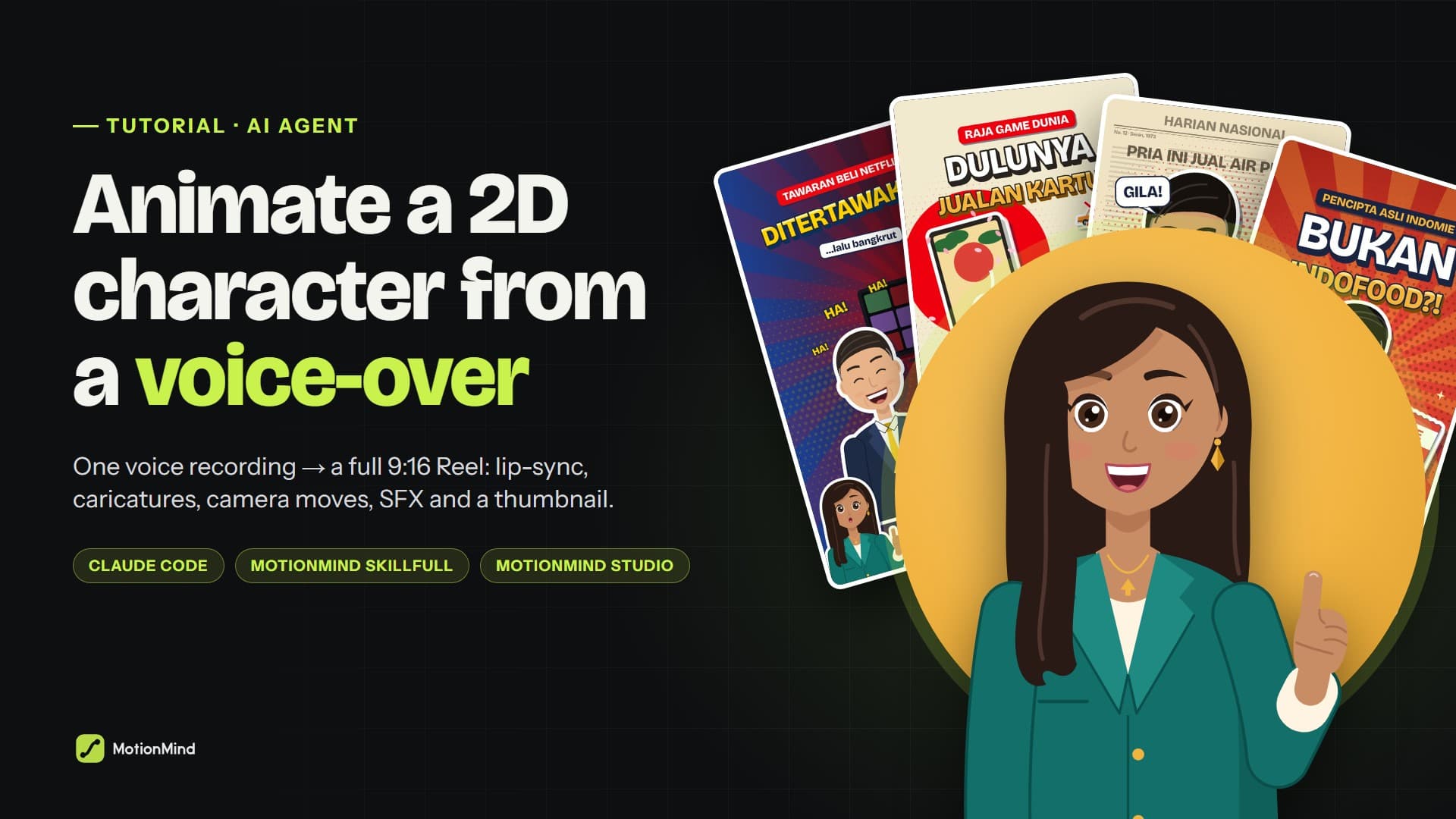
Desfina is a 2D character who tells business stories in short vertical videos: why Blockbuster laughed at Netflix, how Aqua started as an idea people called crazy, and how two brothers ended up founding Adidas and Puma. The series has 12 videos so far, each about a minute long, and all of them came from the same process: one voice-over file goes in, one finished video comes out.
None of the animation was made in After Effects. We gave a brief to an AI agent (Claude Code) equipped with the MotionMind SkillFull skill. The agent wrote the animation code, timed it to the voice, laid in the sound effects, rendered the MP4 and designed a thumbnail. This article walks through the whole process step by step, so you can build a character series of your own.
Watch one of the results first:
Desfina: Blockbuster laughed at Netflix. 61.9 seconds, 1080×1920, 12 scenes and 249 sound effects, made from a single voice-over file. The narration is in Indonesian.
| Tool | What it does | Notes |
|---|---|---|
| AI agent | Runs every step inside the project folder | We use Claude Code. Other agents that can read skills work too. |
| MotionMind SkillFull skill | A motion director's playbook: planning, animation, narration timing, sound design, local rendering | Buy it on Agensi (USD) or the Indonesian store (Rupiah) |
| MotionMind CLI & Studio | Workspace, machine check, version records, side-by-side comparisons | Free and open source: npm i -g motionmind |
| Node.js 22+, Python 3, ffmpeg | Frame rendering, audio processing, MP4 encoding | Playwright (Chromium) captures the frames |
| Voice-over | Your recorded script as a WAV file | Your own voice or TTS, roughly 45–75 seconds |
Everything renders locally on your machine. This isn't generative AI video with random results. Every frame is drawn by code, so a render can be repeated exactly and revised one part at a time.
Experiments, runs, parameters, metrics, artifacts and the model registry: how MLflow's ideas became the way MotionMind Studio records, compares and promotes every render.
Why we built an agent skill, a CLI and a local Studio for making videos with the AI agent you already use, and how to make your first one.
Start with MotionMind now, and track every version with your AI agent.
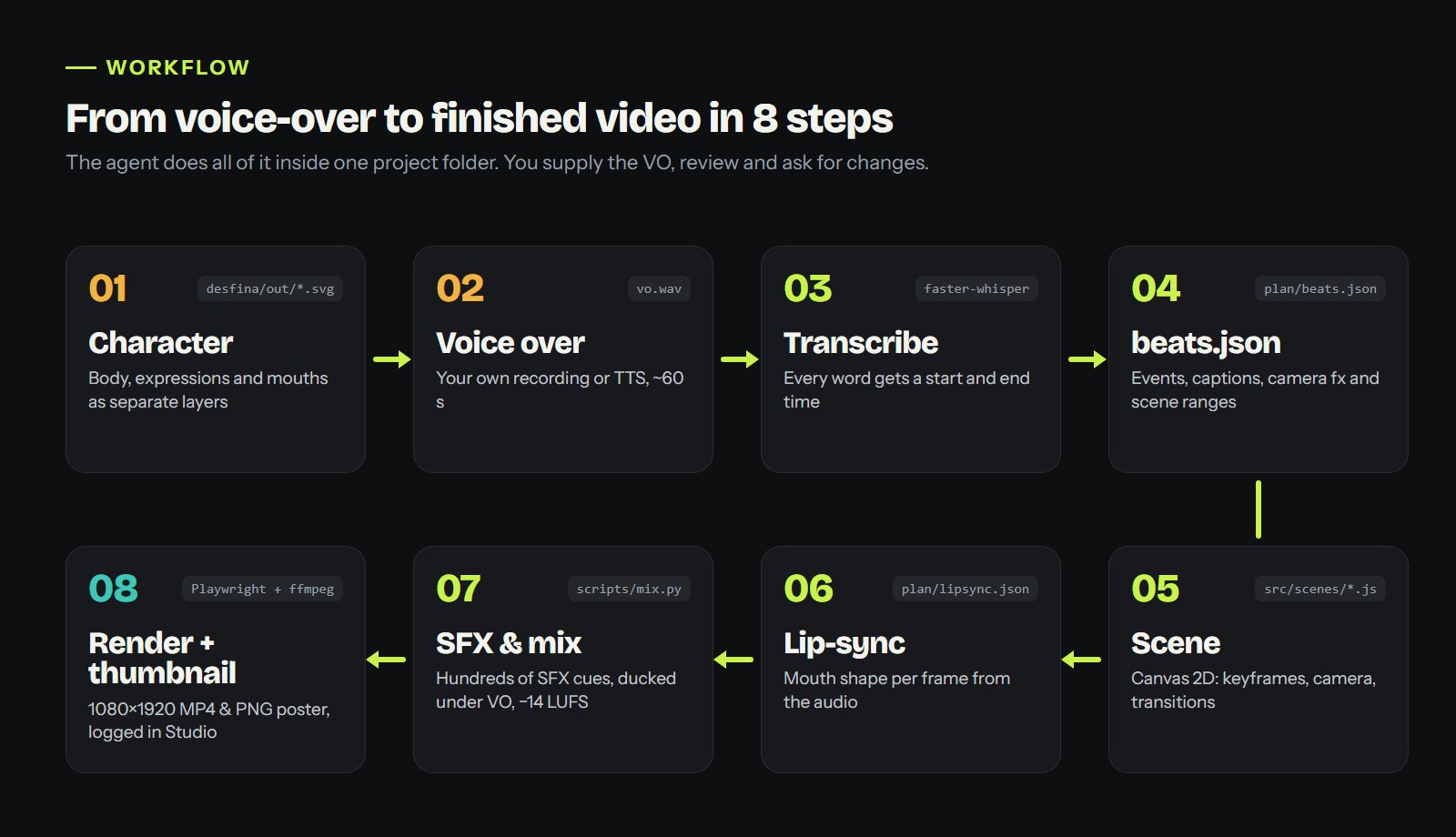
From voice-over to finished video. You supply the VO, review the result and ask for changes.
You design the character once (step 1). After that, each new video repeats steps 2 to 8. The agent copies the previous video project as a template, so the renderer, captions, effects and mix settings never have to be rebuilt.
1. Install MotionMind SkillFull. After buying, follow the store's install instructions. For Claude Code, skills live in ~/.claude/skills/. Open Claude Code and ask "which skills are available?" to confirm it loaded.
2. Install MotionMind and create a workspace.
npm i -g motionmind
motionmind setup desfina-studio
cd desfina-studio
motionmind doctor
doctor checks Node, ffmpeg and the rest. Make sure every line shows ✓ before you continue.
3. Open the Studio in a second terminal and leave it running:
motionmind ui
The Studio opens at http://127.0.0.1:4310. This is where every version of your video gets logged, played back and compared.
A consistent series depends on a character built as code, not a flat picture. Desfina is a layered SVG. Every part has its own id (hair-back, head, eye-l, eye-r, brow-l, mouth, arm-r, hand-r), so each one can move on its own: blinking, glancing, nodding, pointing and talking.
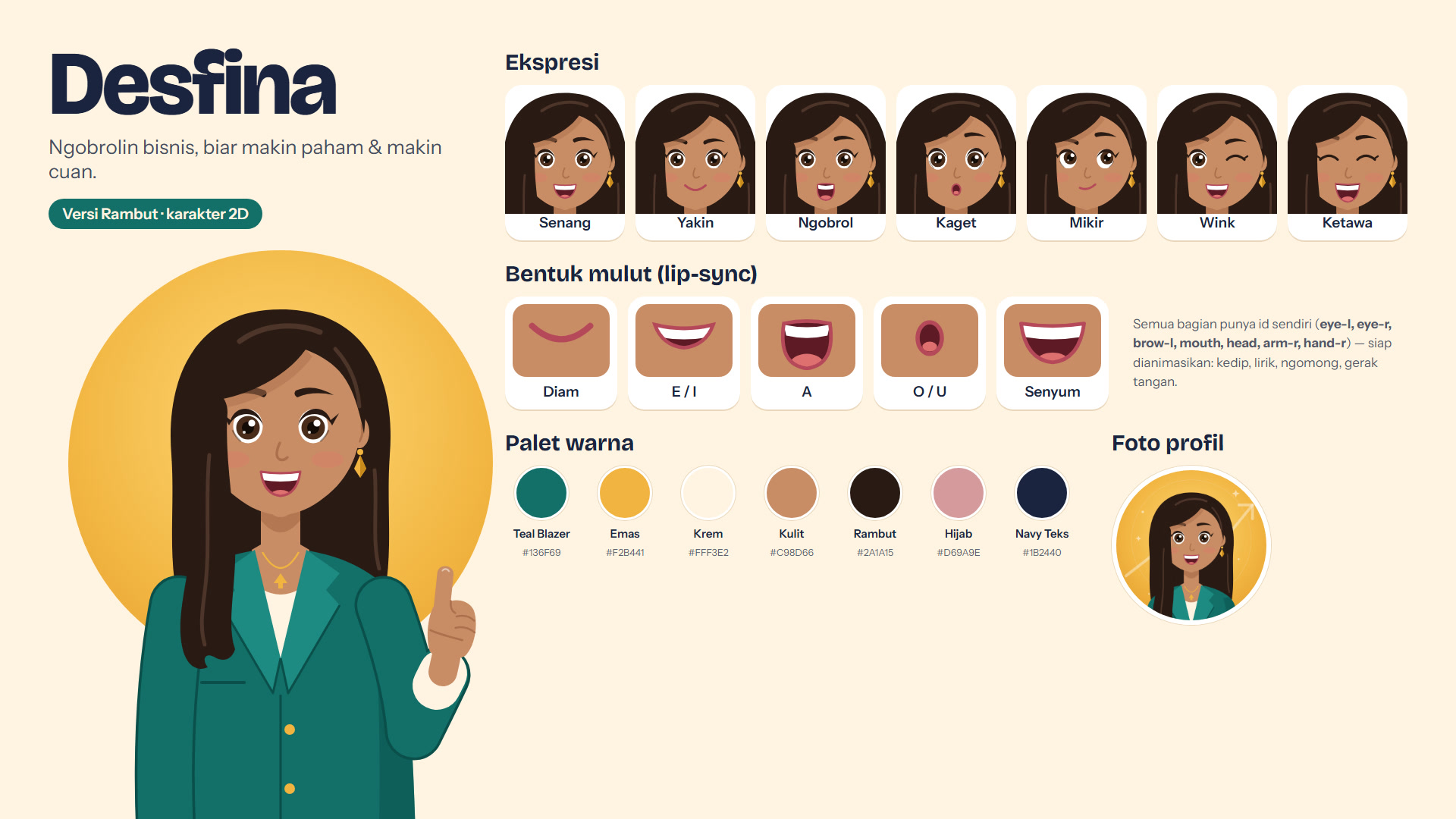
Desfina's character sheet: 7 expressions, 5 lip-sync mouth shapes, a colour palette and a profile picture, all from one generator. The labels are in Indonesian.
An example prompt for the character:
Create a flat-vector 2D female character named Desfina for business content. Long black hair, teal blazer, gold accents. Build her as an SVG with separate layers for hair, head, eyes, brows, mouth and arms. Include 7 expressions (happy, confident, chatting, surprised, thinking, wink, laughing) and 5 lip-sync mouth shapes (rest, E/I, A, O/U, smile). Export a character sheet, full-body poses and a profile picture.
Once you've picked your favourite version, ask the agent to record it in the project's TASTE.md: palette, fonts, style, character placement and caption rules. The agent reads this file every time it starts a new video, so the look stays the same even in a fresh chat.
Record your script as a WAV and put it in a topic folder, for example desfina/blockbuster/vo.wav. A few tips:
This is the prompt we actually used for every Desfina video, translated from Indonesian:
Now make content that follows this VO, animated like the previous ones. Keep the Desfina hair branding, and fill it with sound effects, transitions, camera moves, keyframes and so on. If you don't know what it's about, research it first, especially when a brand is involved. Feel free to show the people being discussed as animated versions of their faces. Export to the same folder, and don't forget the thumbnail.
The prompt is short because the rules already live in the skill and in TASTE.md. After this brief the agent will:
The agent transcribes the VO locally with faster-whisper, so every word gets a start and end time. The transcript is always reviewed. For example, a misheard word was corrected and word onsets that drifted were snapped to the energy of the voice.
From those words the agent builds one central file: plan/beats.json.
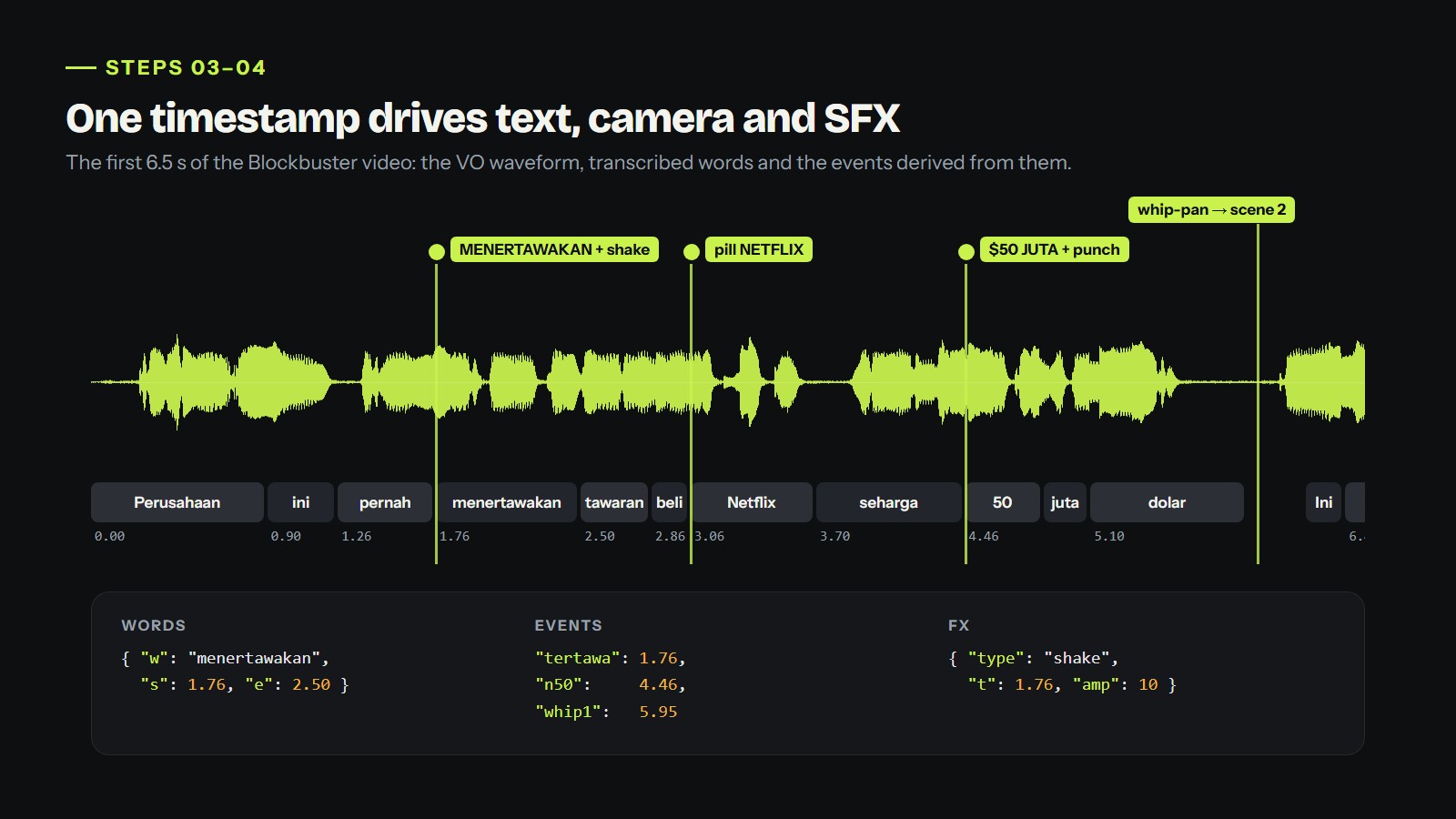
The word "menertawakan" ("laughed at") starts at 1.76 s. That same number fires the on-screen text, the camera shake and the laughing SFX.
{
  "words":  [{ "w": "menertawakan", "s": 1.76, "e": 2.5 }],
  "events": { "tertawa": 1.76, "n50": 4.46, "whip1": 5.95 },
  "fx":     [{ "type": "shake", "t": 1.76, "dur": 0.5, "amp": 10 }],
  "scenes": [{ "id": "hook", "start": 0, "end": 6.3 },
             { "id": "store", "start": 5.95, "end": 9.3 }]
}
The principle: picture and sound read the same numbers. If the VO is re-recorded, update beats.json and every animation and sound effect moves with it.
Each scene is one JavaScript file in src/scenes/. Their time ranges overlap slightly so transitions blend: a whip-pan with motion smear, an iris, a colour wave or a diagonal wipe.
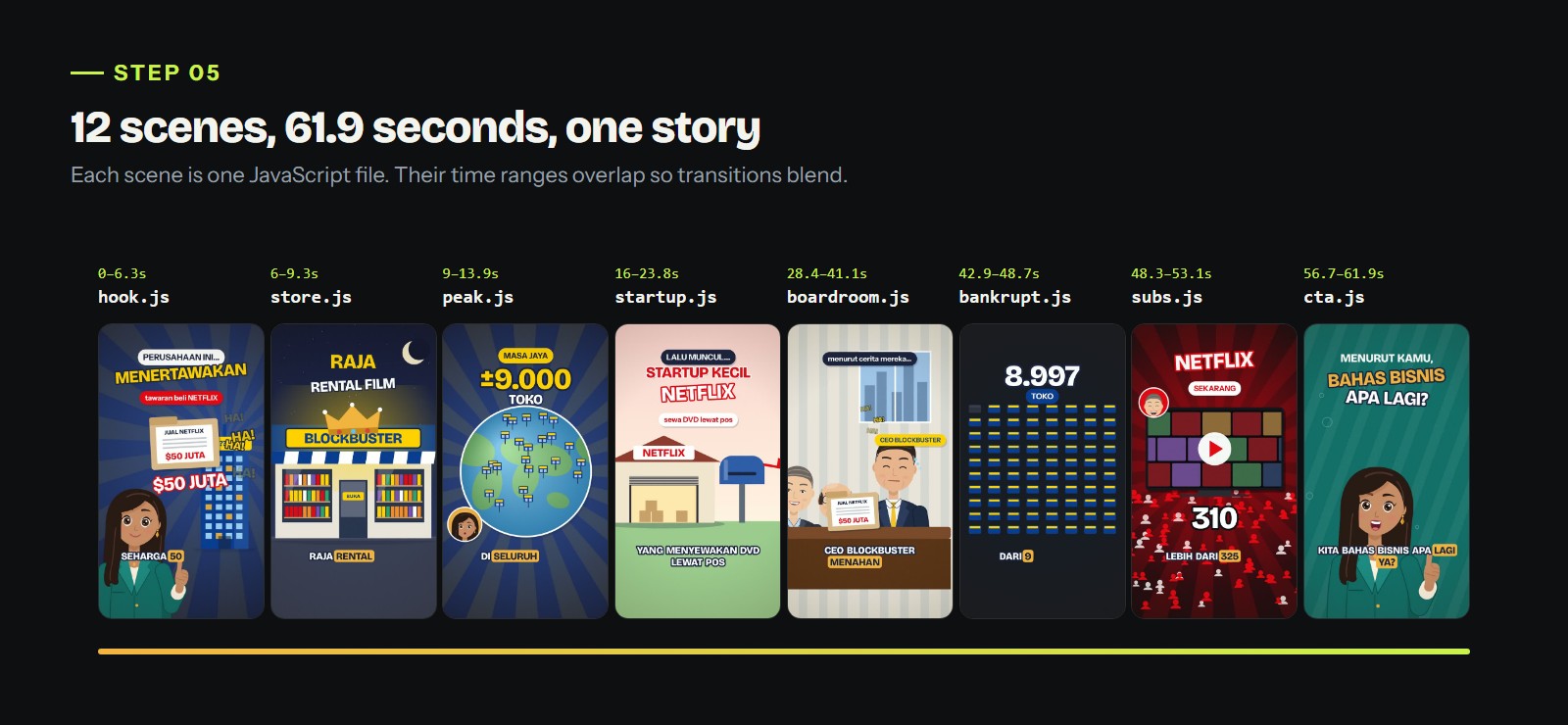
The Blockbuster video has 12 scenes. Each file draws one part of the story.
Motion uses keyframes computed from time, never from the previous frame. Here's a snippet from the boardroom scene:
camera(ctx, {
  s: kf(t, [[28.4, 1.12], [29.2, 1, 'out5'], [E.tawa, 1.08, 'out']]),
  x: kf(t, [[E.tahan - 0.2, 0], [E.tawa, -120, 'out']]),
});
slam(ctx, 'MENAHAN TAWA', 540, 380, t, E.tawa, { size: 100, rot: -3 });
stamp(ctx, 'DITOLAK', 560, 1180, t, E.ditolak, { rot: -12, size: 130 });
Because every frame depends only on the time t, a re-render always produces exactly the same image. You can also render just a 5-second slice to check one moment.
Business stories land better when you can see who's involved. The agent built one caricature generator (src/figure.js) with parameters for hair, glasses, moustache, outfit, pose and expression, drawn in the same line style as Desfina.
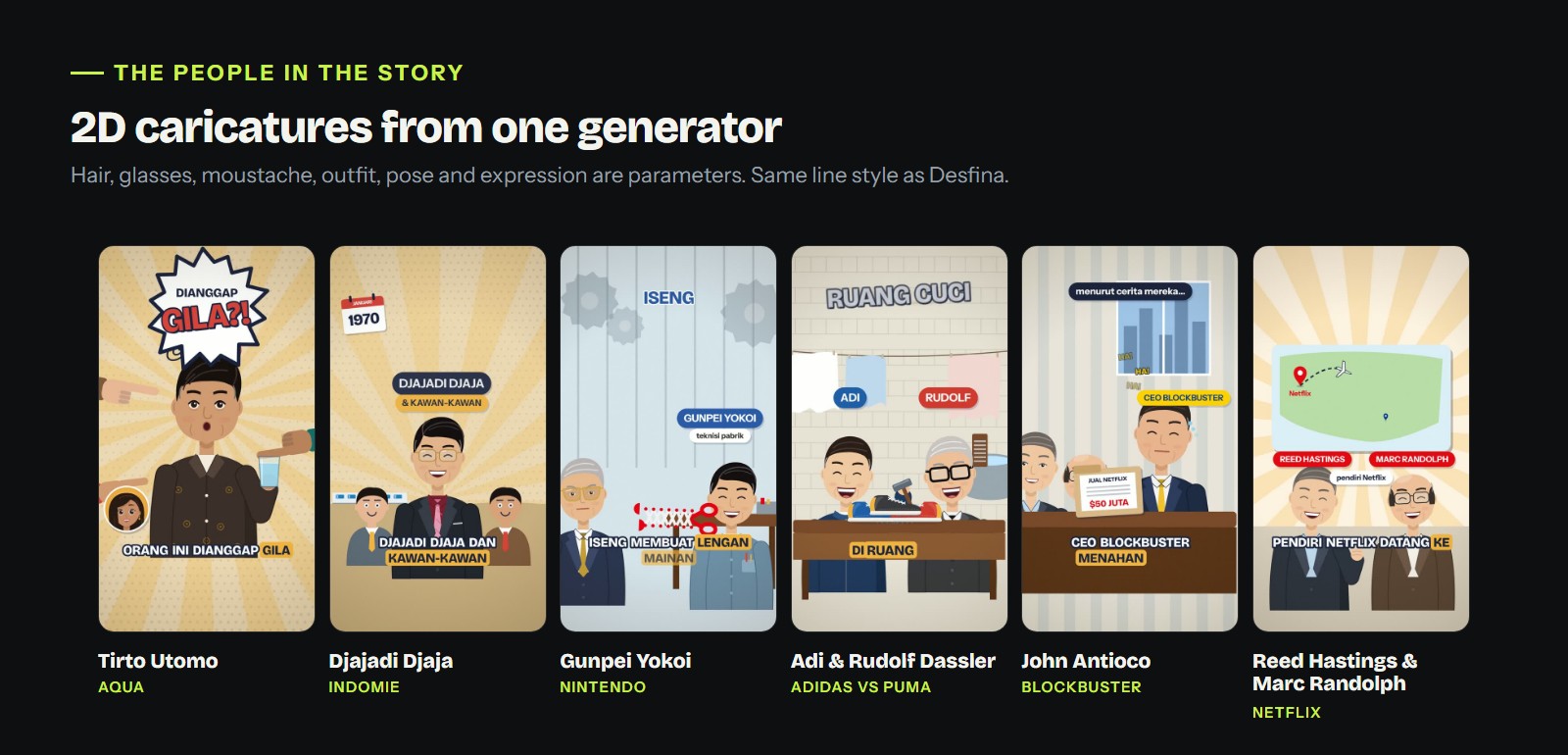
Tirto Utomo, Djajadi Djaja, Gunpei Yokoi, the Dassler brothers, John Antioco, and Reed Hastings with Marc Randolph. All from the same generator.
A few rules we stick to:
Desfina's mouth follows the voice. The lip-sync script reads the energy and character of the voice in every frame and picks one of the four mouth shapes from the character sheet. Add a blink about every 3 seconds and small nods while she speaks, and she really looks like she's talking.
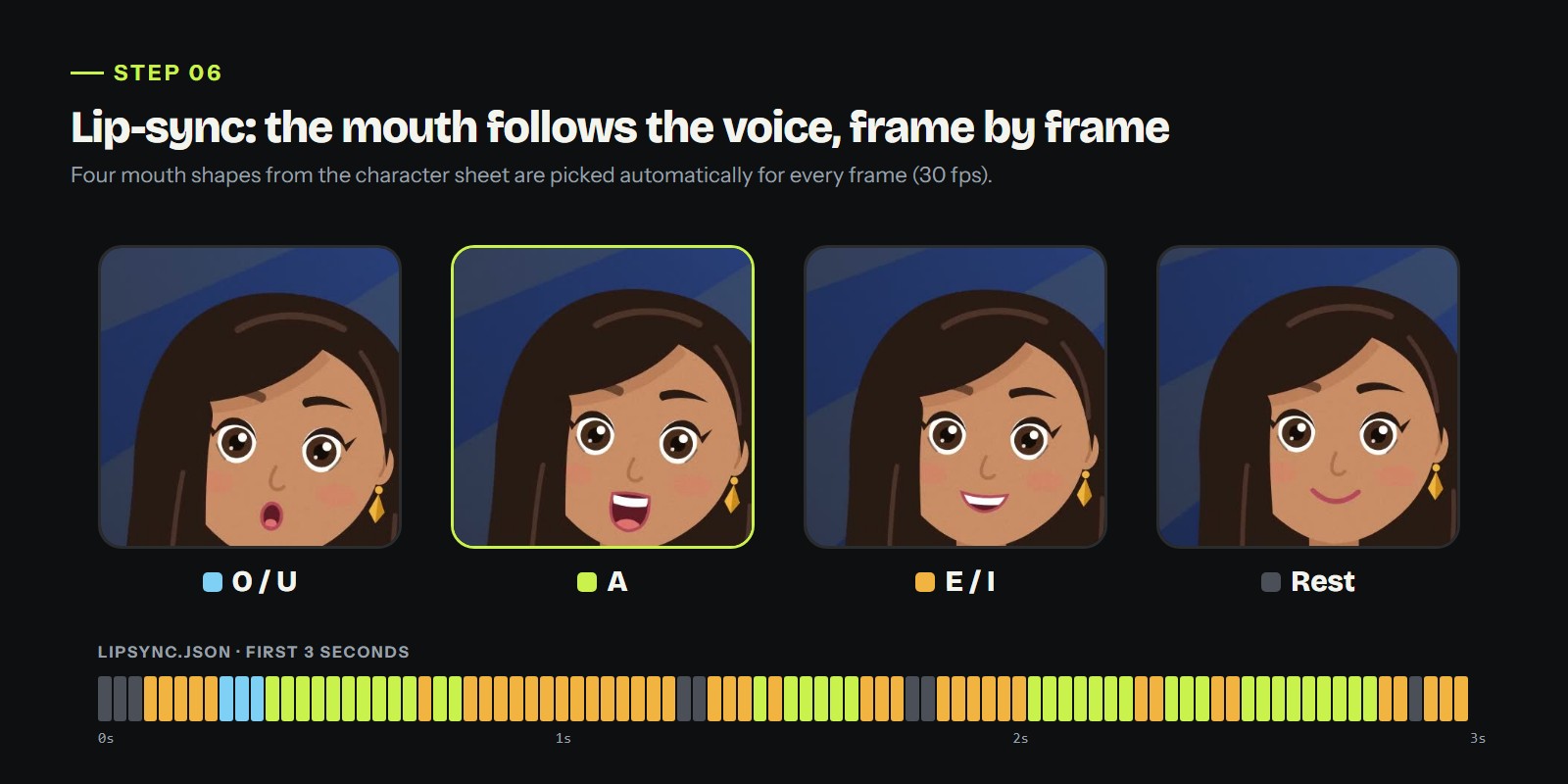
Each block is one frame (1/30 s). Its colour shows which mouth shape is used.
Before a full render, the agent makes a contact sheet: dozens of small frames in one image. It's much faster than rewatching the video, and layout problems jump out immediately.
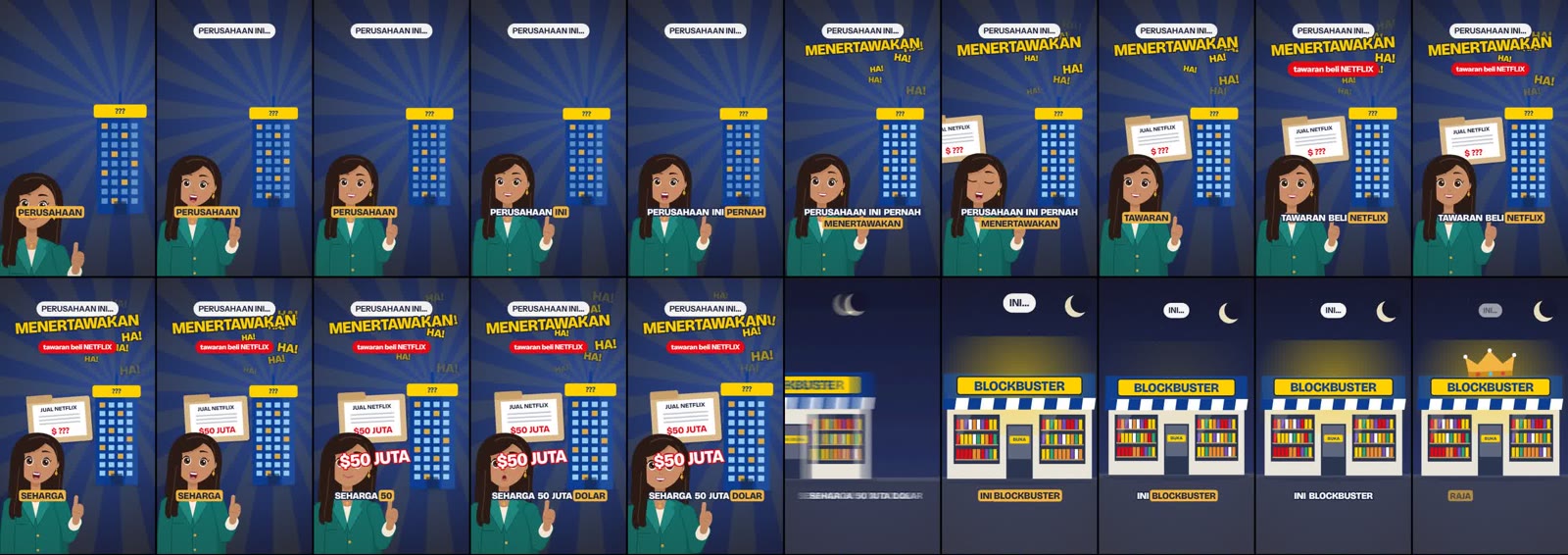
Contact sheet of the first 23 seconds, one frame every 0.4 seconds.
Problems the contact sheets caught in this series:
This is what makes the video feel expensive. Every important movement has a sound: a whoosh on transitions, a pop when a label appears, stamps, coins, cartoon laughter, neon hum, even a passing plane. The Blockbuster video uses 249 SFX cues, a mix of library sounds and synthesized sounds made in code.
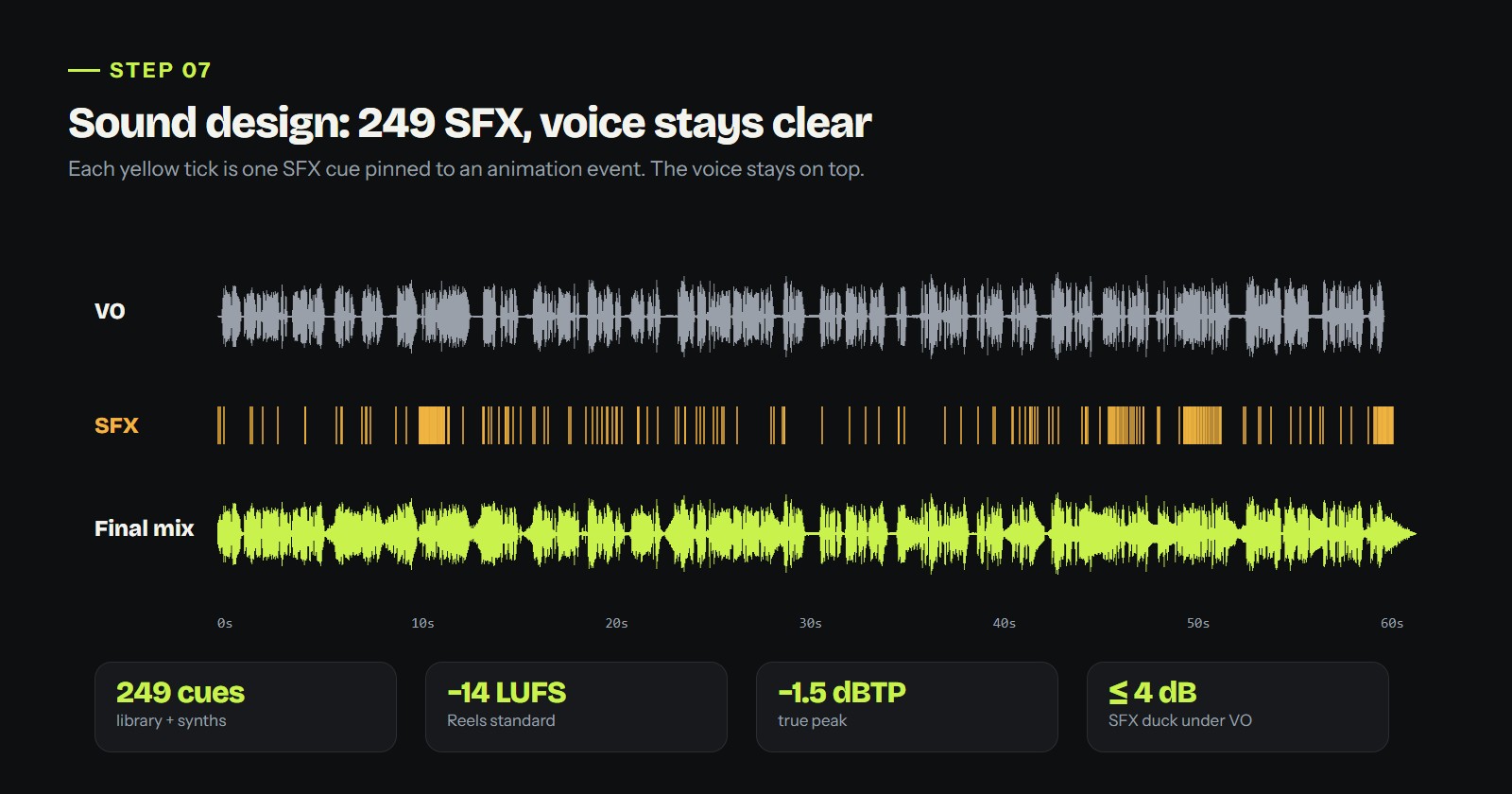
Each yellow tick is one SFX cue pinned to an animation event. The final mix still leaves room for the narration.
The mix rules:
Rendering uses Playwright to draw every frame in Chromium, then ffmpeg joins them with the audio into a 1080×1920, 30 fps MP4. Each project's README.md records the exact commands, so you can re-render at any time:
python scripts/build_beats.py
python scripts/lipsync.py
python scripts/mix.py --version 1
node src/render.js --fps 30 --out "desfina/blockbuster" --name "Desfina - Blockbuster v1" --audio cache/mix/mix_v1.wav
node src/render.js --page thumb.html --png --to .034 --out cache/thumb
The thumbnail is never a frame grabbed from the video. We learned that from our own revisions: a video frame looks flat as a cover. Each thumbnail is designed as its own poster, with cut-out stickers of the people involved, a 3D headline, halftone or retro-newspaper texture, and Desfina peeking in from a corner.
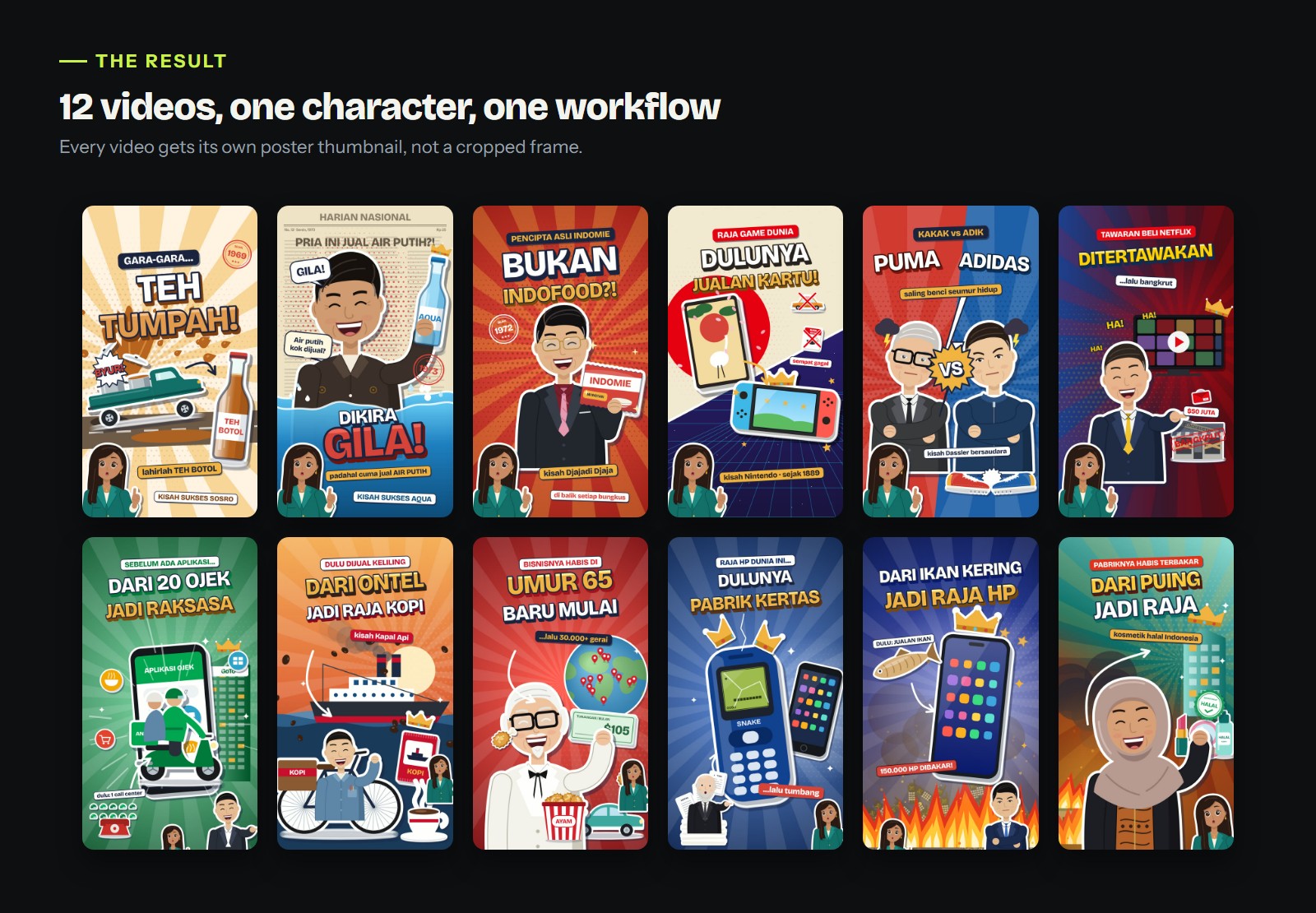
12 poster thumbnails from the Desfina series. Same character and style, a different concept every time.
Once there's a v2, a v3 and more, you need to know which one is current and what changed. MotionMind records every render as a frozen version:
# watch the export folder; every new MP4 is logged automatically
motionmind track "desfina/blockbuster" --campaign desfina/blockbuster

# or log a single file by hand, with its contact sheet
motionmind log "Desfina - Blockbuster v1.mp4" --campaign desfina/blockbuster \
  --version v1-blockbuster --sheet cache/sheet/s1.jpg --notes "first render"
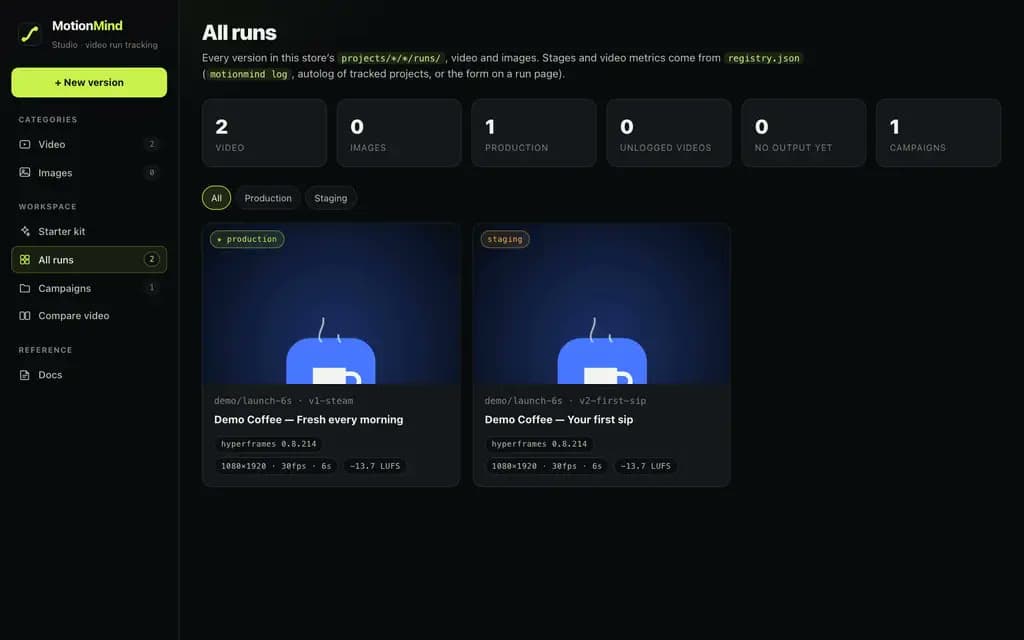
In the Studio (motionmind ui) you can play each version, see its contact sheet and loudness, and compare versions side by side. Promote an approved version to production with motionmind promote.
Because everything is code, revisions touch only the part you name, without starting over. Requests that work well:
The agent always saves a revision as a new version, so a version you've approved is never overwritten.
TASTE.md. Without a style record, every new chat can drift to a different look.Setting up the character and the first video takes a few hours. After that, each new video is one VO and one prompt. Everything in this article was made with the same tools:
npm i -g motionmind. The full guides are on the Learn page.Got a character or a business story you want to animate? Make your first video, then compare every version in the Studio.