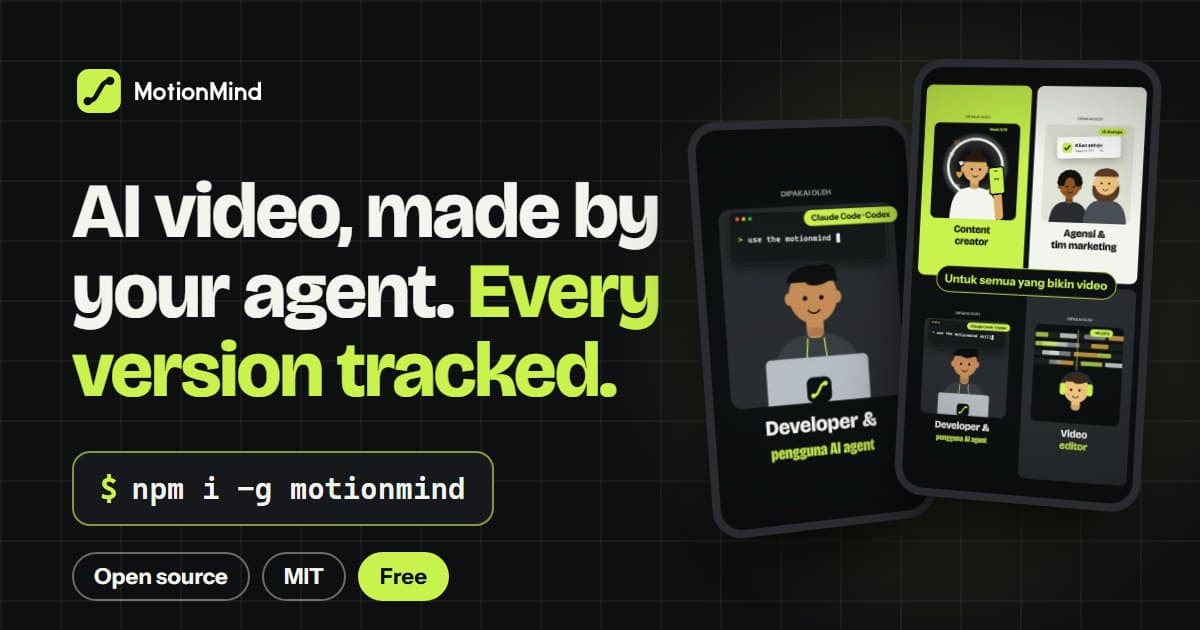
MotionMind is out: an open-source agent skill, CLI and local Studio for making videos with the AI coding agent you already use. Version 0.1.0 went to npm on 30 October 2026, and 0.2.0 followed a day later. This post explains why we built it, what's in it, and how to make your first video.
The 30-second walkthrough above was made with MotionMind itself.
Why we built it
AI agents can already write a motion graphic. Ask Claude Code or Codex for a 15-second promo and you get HTML and animation code that renders. What goes wrong is everything around it:
- the agent skips straight to code, before anyone has agreed on the story;
- every "small change" overwrites the version the client already approved;
- nobody knows which render was the good one;
- the audio sits at whatever level it happened to land on;
- the next chat starts from zero, with no memory of the style you settled on.
None of these are model problems. They are process problems, the kind a studio solves with briefs, approvals, careful file naming and a producer who keeps track. MotionMind gives the agent that production process and gives you a record of it.
What's in it
MotionMind has three parts that work together.
The motionmind skill. A plain Agent Skills folder (SKILL.md plus references) that teaches the agent to work like a studio: concepts first, storyboard second, then build, review and render, with you approving each gate. It also carries the HyperFrames rules, motion and sound guidance, a QA checklist and a kit for screen demos. Any agent that reads SKILL.md can use it: Claude Code, Codex, Gemini CLI, OpenCode and others.
The motionmind CLI. It turns every render into a frozen, measured version: the video, a contact sheet, a snapshot of the source, the loudness, the parameters and a checksum. The agent calls it, and so can you: setup, init, render, log, promote, track, compare, music, sfx, doctor.
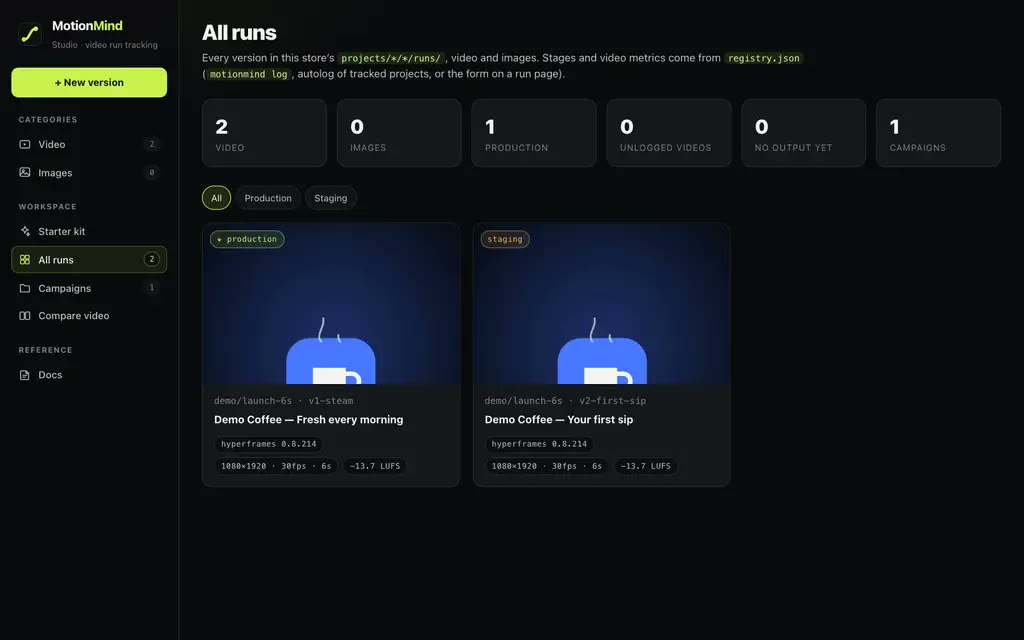
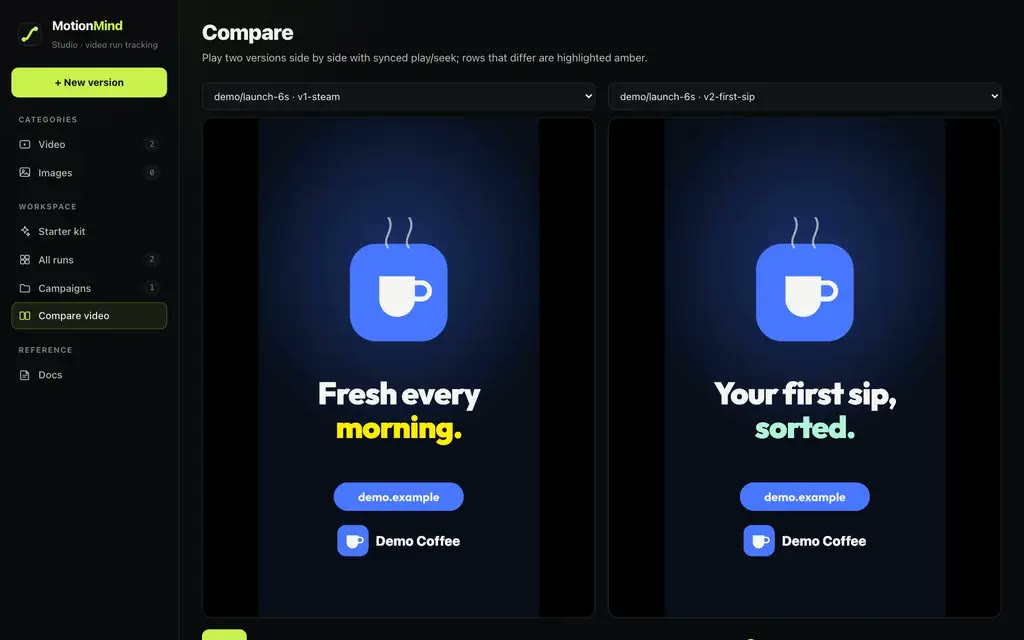
The Studio. motionmind ui opens a dashboard on 127.0.0.1:4310. Every version is there with a player, a 4:5 safe-area overlay, its contact sheet, loudness and QA status. You can play two versions side by side, open one in HyperFrames Studio to edit it without code, and promote the one you want to production.
Around those three sit the things almost every video needs. motionmind music makes deterministic, sample-free music beds at 120 BPM with sections; 22 CC0 sound effects are built in, and you can plug in your own library; motionmind track records renders made in other tools.
Every version is a HyperFrames project: HTML and GSAP, rendered to MP4. That is why a version can be reopened, edited visually and rendered again identically months later.
How a video gets made
A MotionMind video is a conversation over a few rounds, not a one-shot prompt. The agent stops at four gates and waits for you.
- Brief. You describe the product, the audience, the format and length, the audio and the call to action, and put the logo, fonts and screenshots in
shared/brands/<brand>/. - Gate 1: pick a concept. The agent writes two or three genuinely different stories, in words, to
plan/concepts.md. You choose one. - Gate 2: approve the storyboard. A per-second table, plus the style locked in
TASTE.md: palette with colour roles, type, easing and music. Because of this file, later versions look and move the same. - Build.
motionmind initcreates the version folder. The agent writes one scene per file, runs HyperFramescheckandsnapshotafter every change, and looks at the frames before it says "done". - Gate 3: review. You watch the draft in the Studio, or press Edit in HyperFrames to change text, timing or audio yourself. While you edit, the version is locked for the agent.
- Gate 4: promote. After QA, you move the version to production.
QA is not a suggestion. Since 0.2.0, production requires an integrated loudness of −14 LUFS ±0.5 and a true peak no higher than −1 dBFS, measured from the rendered file. A version that misses is refused unless you override it, and the override is written to LOG.md. In 9:16, text and the CTA stay inside the band that phone apps don't cover. The four-gate workflow guide goes through each step in detail.
Versions, not overwrites
The idea we borrowed most directly comes from machine learning, from MLflow. A data scientist never overwrites a training run: each run is logged with its parameters, metrics and artifacts, and the good one is promoted in a registry. MotionMind does the same for renders.
| MLflow | MotionMind |
|---|---|
| experiment | campaign <brand>/<campaign> |
| run | version v<N>-<slug> |
| params · metrics · artifacts | variables · LUFS, true peak, duration · video.mp4, contact sheet, source snapshot |
| model registry stages | staging → production → archived |
mlflow ui | motionmind ui |
A new message or audience is a new campaign; a new hook, style, music or aspect ratio for the same message is a new version in the same campaign. Rendered versions are never overwritten. When you promote a new production version, the previous one with the same aspect ratio is archived, not deleted. So when someone asks weeks later whether you can go back to the earlier cut, it is still there, together with the exact source that made it.
Already have an editor?
You don't need the agent to get the record. If you already work in HyperFrames Studio, Premiere or anything else that exports MP4, MotionMind can simply keep track:
motionmind track ~/Exports/premiere --campaign acme/launch-15s-cut
motionmind log ./final.mp4 --campaign acme/launch-15s --param hook="Stock running low?"
Every new export becomes a version, with its loudness measured. See tracking renders from other tools.
What MotionMind is not
- It doesn't generate video by itself. Your agent writes the video, following the skill. MotionMind provides the process, the commands, the record and the Studio, which is also why it works with whichever agent and model you prefer.
- It isn't a cloud service. Everything runs on your machine. The Studio only listens on
127.0.0.1, and your files stay where they are. - It isn't a HeyGen product. MotionMind is an independent, MIT-licensed project that is compatible with HyperFrames. It is not an official HeyGen product or partner.
Make your first video
You need macOS, Linux or Windows, Node.js 22 or newer, ffmpeg and ffprobe on your PATH, and an agent CLI. HyperFrames and its headless Chrome are fetched on first use.
npm i -g motionmind
motionmind setup my-studio
cd my-studio
motionmind doctor
motionmind ui
Then, in a second terminal in the same folder, start your agent and brief it:
Use the motionmind skill. I want a 15-second 9:16 promo for my coffee shop "Kopi Senja",
message "great coffee, friendly prices", CTA kopisenja.id, music + SFX, no voice-over.
Expect a few rounds of conversation. The getting started guide walks through the installation step by step, and briefing your first agent shows what a good brief looks like.
What's on this site
- Learn: 15 guides, from the first install to loudness, safe areas and music, each with short clips and commands you can copy.
- Projects: videos made with MotionMind, with their measurements and the story from the first version to the last.
- Blog: news like this post, release notes, and longer articles about making video with agents.
MotionMind is open source. The code is on GitHub, the package is on npm, and bug reports and ideas go to GitHub Issues. If it saves you time, you can support the project.
Welcome aboard. We'd love to see what you make with it.